Author Archives: BlueRailTrains

How to use BlueRail’s Customer Loyalty Program

Category : Articles

BlueRail has added a feature to the BlueRail store that offers discounts for existing customers. The present discount takes $5 off the total amount for any order placed. To take advantage of this discount, you must sign-in to the BlueRail online store (shop.bluerailtrains.com) before checking out. If you are an existing customer, but do not have a password to sign in, here is what you do:

From shop.bluerailtrains.com choose “sign in” from the upper right corner.

Do not create an account. Instead, click the “Forgot your password?” link next to the sign-in button.

Enter the email address you used when you placed your original order, and hit “continue”.

You will receive an email that allows you to continue with the sign-in process. Once you are signed in, your “Customer Loyalty” discount will be subtracted from your total order.


Why do Developers release iOS versions before Android?

Category : Articles

If you are an Android user, you may have noticed that developers commonly release on iOS before Android. Why is this? There are actually a number of reasons worth understanding.

iOS has less devices to develop for
In iOS you basically have 2 devices to develop for (iPhone and iPad). Although there are slightly taller and shorter screens to consider on various models, testing is very straight forward. On the other hand, there are >50,000 different Android devices to develop for and take into consideration.

iOS enforces Operating System software updates
Apple works really hard to pester users into getting the latest version of iOS. Although users may not like this, it makes life much easier for developers, because the majority of iOS users are running on the latest software update for their device, meaning less bugs (bluetooth connectivity). The 50,000+ Android devices out there are running thousands of different versions of Android (ranging from version 4.3.1 to version 12). Most Android device manufacturers write their own Android software, which makes it even trickier. Large companies (like Samsung) have giant programming teams developing updates for every device they have ever put out (so Samsung devices operate fairly consistently). Smaller Android manufacturers obviously have less programming resources, and their updates may be slower to come out (and perhaps not entirely bug free). Bluetooth control products require and rely on an Android operating system that is bug-free (when it comes to handling bluetooth).

Knowing this, it is generally prudent to develop for iOS first. This way you are developing on a more consistent platform, and can focus on getting the functionality of your software where it needs to be (which is often an iterative process through updates). Once you release on Android you need to be prepared to spend time addressing device-specific issues that only appear in a limited amount of Androids out there.

Our development process is: develop on iOS, verify everything functions, port to Android. We know there are many Android users out there and appreciate their support.

If you are an Android user, while you are waiting you might consider you can generally purchase a used iPhone6s plus on eBay for ~$50, and you don’t need any sort of plan to use it.


Unable to Connect to Train

Category : Articles

If you think you have setup everything correctly, and cannot see your train/board, there are several possible issues to check:

Do NOT pair with train from settings >> bluetooth.     When you connect to a bluetooth train, it becomes unavailable to other applications and devices. For this reason, do NOT pair with your train from settings >> bluetooth (as you may be used to with other bluetooth devices). Doing so will make the train unavailable in BlueRail or E-Z® App. It is ok to use settings >> bluetooth to test if your train, but you will need to hit disconnect in order to see the train in one of the control apps. If you do connect to the train (for test purposes) within the settings >> bluetooth section, you should choose “forget this device” to prevent your settings app from monopolizing the train in the future.

Does your train have power? Check to see that your layout is receiving power or battery has charge. If the BlueRail board is receiving power, a green LED will flash on the board.

Is your train connected to another app or smart device? When an app on a smart device (like a smartphone or tablet) connects to a bluetooth train, that train becomes invisible to other users. If your train is receiving power and you still cannot see it listed on your Home screen, check to see that the train is not connected to another smart device in range that is running a bluetooth train control app (BlueRail or E-Z® App). The best way to rule this out is to temporarily cut power to the locomotive for 30 seconds. The train should become available in the Home screen once the board within the train has powered back up. Also, if you have both BlueRail and E-Z® App installed on your smart device, make sure you only run one app at a time (and that the second app is not running in the background).

Is bluetooth working properly on your smart device? Bluetooth service in smart devices sometimes acts up and gets glitchy. This can generally be resolved by temporarily switching off bluetooth in your smart device and turning it back on, or rebooting the smart phone. 90% of connection issues can be resolved by turning bluetooth off and then back on within your device.

ANDROID SPECIFIC ISSUES There are more than 24,000 models of Android. Each Android manufacturer writes their own Android software and updates. The most popular brands generally have bluetooth implemented properly and work great. Less popular (or older) Androids can have bluetooth bugs that can only be solved by the Android manufacturer releasing an update fix. One great way to determine if your connection issue is caused by your Android is to borrow a recent iOS device (iPhone or iPad) and see if everything works. If so, your Android might need an update fix. See if any software updates are available for your Android. The general method for updating your Android software is: Settings >> General (scroll down) >> About Device >> Software Update. See THIS ARTICLE.

Clearing the bluetooth cache on your Android. Sometimes Android bluetooth issues can be resolved by clearing the bluetooth cache. This procedure may be slightly different on different Androids.

1) Tap the Settings icon.
2) Hit Application Manager.
3) Swipe the screen left or right in order to find All Tabs.
4) Select Bluetooth.
5) Tap Clear Cache.
6) Select Clear Data.
7) Choose Ok.

Turn on Location Services in Android. Due to changes in Bluetooth permissions with Android 6, the app may not be able to detect BLE trains properly. To resolve this issue, go to Settings in the OS–> Location and turn on location services.

9-PIN HARNESS NOT PUSHED IN ALL THE WAY If you can connect, but are having trouble running your loco (or the lights) it is possible that the 9-pin connector isn’t pushed all the way into the board, so some of the colored wires aren’t really making contact, and therefore not getting any power. Before you mess with it, I have found these connectors can be delicate and are easily broken, so I like to take a little strip of duct tape and wrap it around the harness right where the 9 wires go into the plastic JST connector – just to reinforce it before messing with it. Once its reinforced, push the connector all the way so it is well seated.

Is your phone/tablet bluetooth smart? Assuming this is your first time operating trains with a certain smart device, check to make sure your smart device supports bluetooth smart.

Sound Issues in iOS

Category : Articles

If you ever don’t hear any sound while in the iOS app, this article may help you.

One thing to know is that if your phone/tablet has been asleep or the BlueRail App has been left in the background while you use other apps, the sound may not work. This can be rectified by closing the app completely (double-click and swipe the app upward) and restarting the app.

If this doesn’t solve your problem, here are a couple of suggestions for getting sound working:

First, make sure the BlueRail app is turned off entirely (and not running in the background) .

Check the little mute slider on the side of the phone/ipad.

Use the volume buttons to turn volume up.

Touch the home button and slide finger upward to bring up the grey settings bar (may take a couple of attempts). Make sure the volume is all the way up on this screen. On this same screen, make sure the “moon” (do not disturb) is turned off.

Now see if the sound is working.

If not, the two things to try are:
1) go into sounds and switch ringtones momentarily.
2) restart device.

Also, some iOS devices give you the option of using the little side slider to “lock orientation” (instead of for muting purposes). This option is generally controlled from:

Settings>General>Use Side Switch to: Mute System sounds / (Lock Screen Rotation )

If you have the side switch set to “lock screen rotation” then the system sound control is in the task bar. Access the task bar (described above), swipe all the way to the right. The speaker icon is all the way to the left. Tap on it and system sounds will return.


Considerations for using BlueRail board in larger gauges

Category : Articles

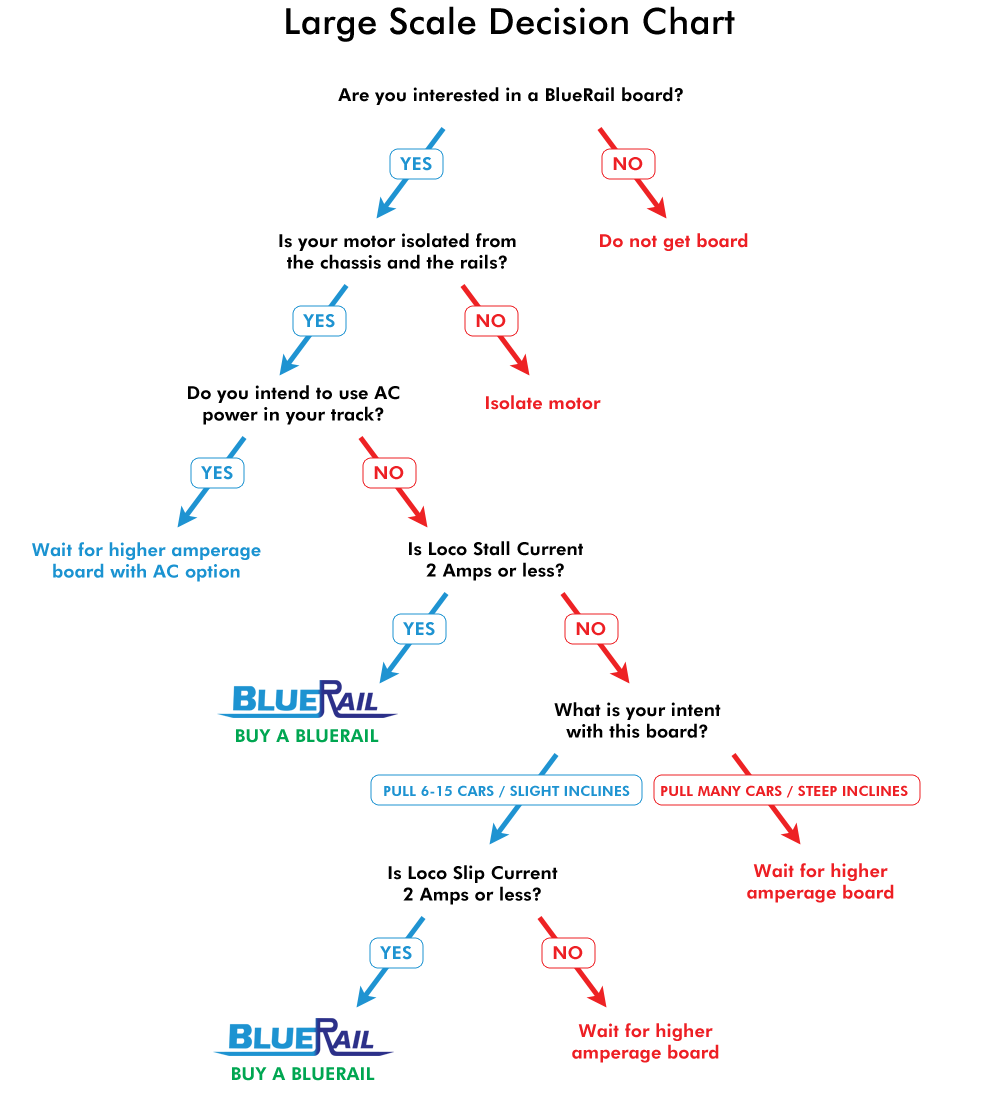
BlueRail’s first board targets HO steam tenders, S, On30 and lower amperage O and G trains.  A narrow board (more appropriate for for HO diesels) and a high amperage board will be released subsequently. Many people are happily running this first board in their O and G locos. Understanding the board’s amperage specs is key to deciding if this first board will work in your larger scale loco.

The first basic thing to check (regardless of amperage) is to make sure your DC can motor(s) is electrically isolated from both the chassis and the track. This is a necessity for using any train control system to run your loco. Please refer to THIS ARTICLE to test that.  It is also of course key that you have determined you have the space somewhere to put the board.

The second thing (which is related to amperage) is knowing your locomotives SLIP and STALL current. HERE is an article on how to determine your loco’s stall current.  HERE is a great online reference I have found with the stall and slip currents of many trains already listed.  The idea is to understand how many amps your loco draws when it is trying it’s hardest (ie pulling 100 cars uphill).  There is also a second part of this related to how slippery your wheels are. If your wheels start slipping under a certain amount of load, your loco will never actually reach it’s full stall current (when pulling many cars uphill). For this reason, that site lists both the “slip” stall current and the “hard” stall current.  When testing stall current yourself, this is a factor of how hard you push down while testing (ie hard enough to keep the wheels from turning or not). If your loco has a SLIP current of 2 amps or less, it is a candidate for this BlueRail board.

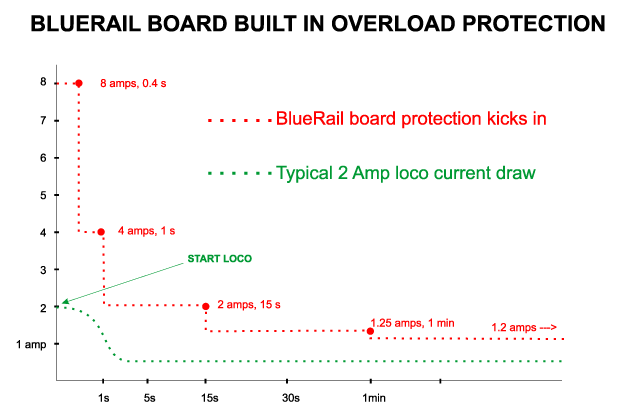
Overload ProtectionThe maximum amperage support from the board follows a curve (in RED above). Locos generally draw higher current when they first start rolling. For this reason, the board is designed to handle 8 amps for the first 1/2 second and 4 amps for the first second. This is to give some extra headroom as you first start to roll. After 15 seconds of continuous pulling, the curve is down to 2 amps.  The board assumes you have a little momentum going by then, and your loco is not close to “stalling”.  After 1 minute of continuous pulling, the amperage support eases down to 1.2 amps.  If the board senses the max amperage support has been exceeded, it shuts itself off  (via a PTC fuse) and protects itself.
For discussion purposes, referencing a G scale Bachmann 4-6-0 on the chart we see a “slip” current of 1.5 amps and a “hard” stall current of 4 amps.  Depending on how many cars it is pulling and how steep and long the inclines are, it can be kept within the board’s amperage curve.  This loco may be able to pull 10-14 cars on a level layout, and perhaps 8-9 cars on an incline. Pulling 20 cars up steep inclines that last more than a minute (on the other hand) would likely trigger the onboard protection.

The objective is to consider your loco’s slip and hard stall current, how many cars you intend to pull, and how steep and long your inclines are, and decide if this first board is in the ball park.  With the board in place, run your train with a couple of cars, and add a few more till you find the “sweet spot” as to how many cars you can pull (on both level track and an incline).  Don’t start right off pulling 20-30 cars. The durability of the PTC fuse is a factor of how much you exceed the amperage draw by, so if you throw 10 amps at it all it once you could damage it.  But as long as you gently find your limits and then stay within them, you should be fine.

You can wait around for the higher amperage board (we do not yet have a release date on that) but the truth is, this current board might be sufficient for some of your locos. Please visit our User Showcase to see some of the locos this board is currently used in.

Large-Scale-Decision-Chart


Using an old BlueRail Blue Horse board to run DC trains and lights on a conventional train set

Category : Articles

This article is written about the old “Blue Horse” boards. Similar behavior can be achieved using BlueRailDCC boards, but BlueRailDCC boards do not support multiple LEDs.

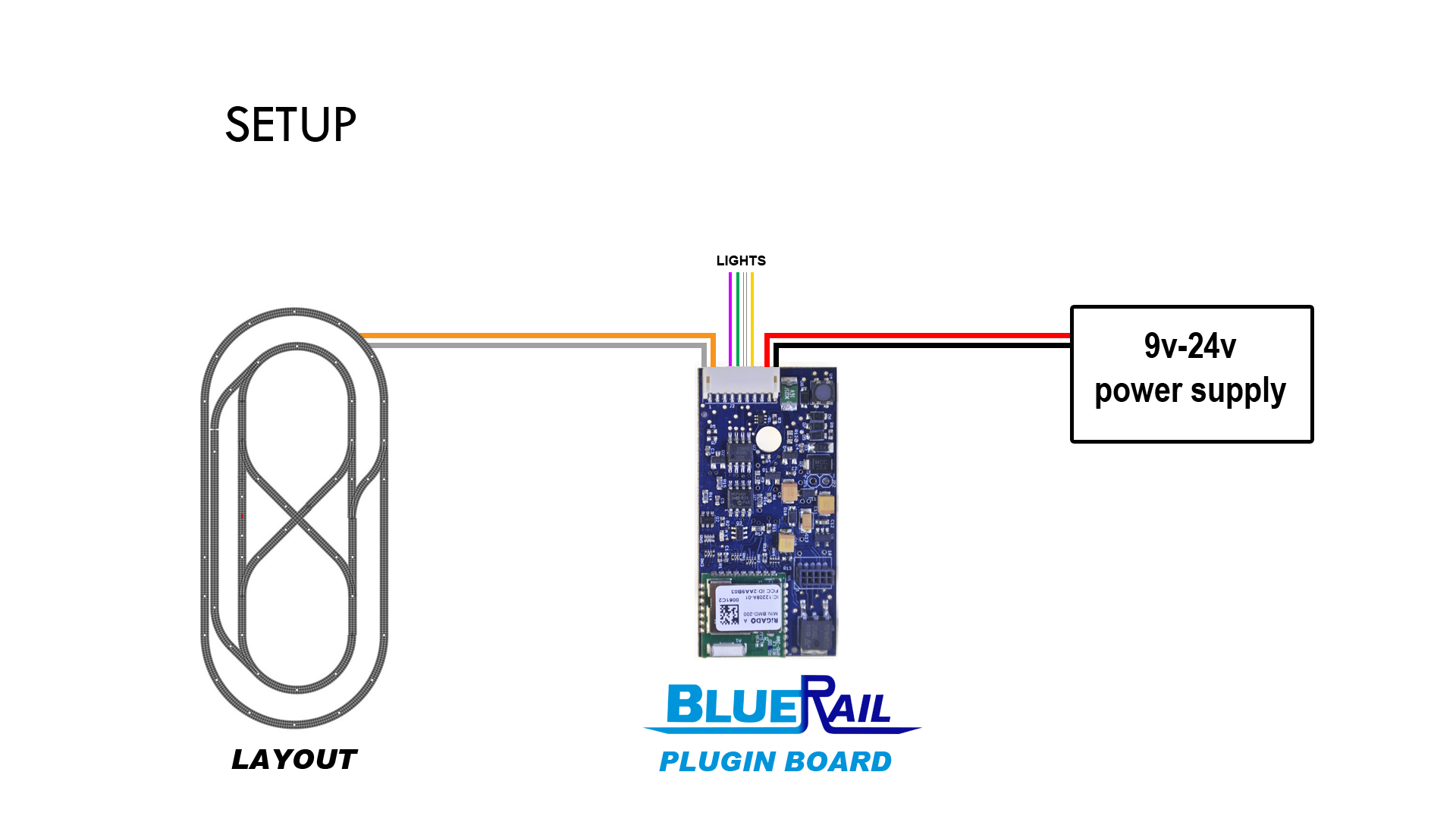
You can use a BlueRail Blue Horse board to control a DC train layout and up to 4 lights or accessories from your smart device. Use the diagrams below to see how to easily modify a 9 wire harness and connect a power supply. This is a great simple solution for HO, N or even Z train sets. You cannot control separate trains independently, but you can control either a single train or multiple locos as a consist.

Using a BlueRail board to run DC trains on a conventional train set


Note: to simplify the diagram, the colored wires on the 9-pin plug in these diagrams are not in the proper order. Please use the wire color to make your connections.

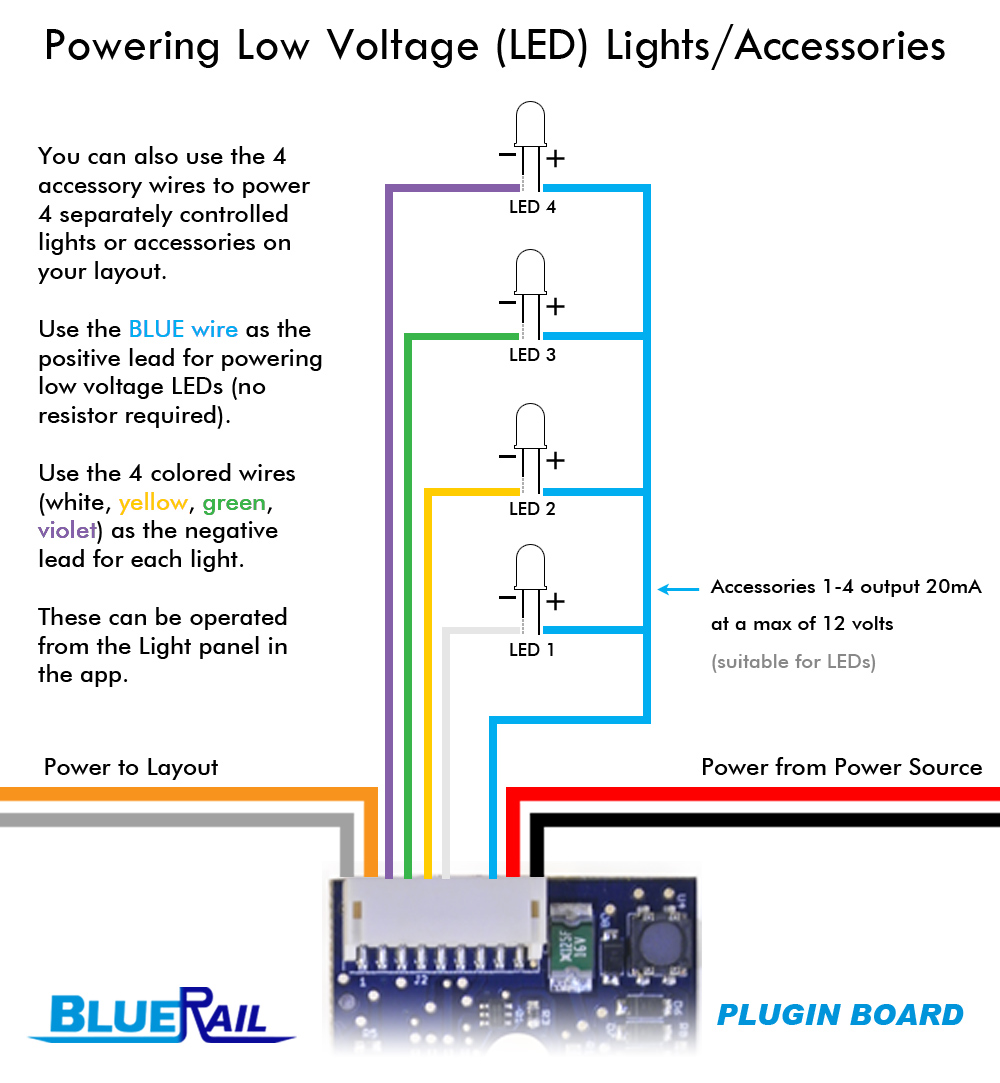
The diagram below shows how to power up to 4 low voltage LED lights on your layout. These can be independently controlled from your smart device in the “Light Panel”.

Using a BlueRail board to power low voltage lights on a conventional train set


BACK-EMF NOTE: If you plan on using multiple BlueRail boards to control different blocks on your layout, you will need to turn off back-EMF in each board. This is accomplished by going into the “Settings” screen in the app for each board, and toggling on the “Advanced Tuning” panel. Then, using the “Tuning Fork” button (now accessible in the Train Control screen) set the following three settings to a value of “0”: Proportional, Integral, and Differential. With all 3 PID values set to “0” back-EMF will be turned off. If you do not turn back-EMF off, you may find that your locos slow down briefly as they enter each new block.


Example Videos

For the Bachmann Trolley, N scale trains and some other conventional locos you may achieve improved slow speed performance by adjusting the “Differential” value in the Advanced Tunings to “0” (instead of the default of “.235”). You’ll find this in the board “Settings” screen by clicking the little cog on the train control screen.


User Showcase – Ken Trossen

Category : UserShowcase

User_KenT_PageHeader

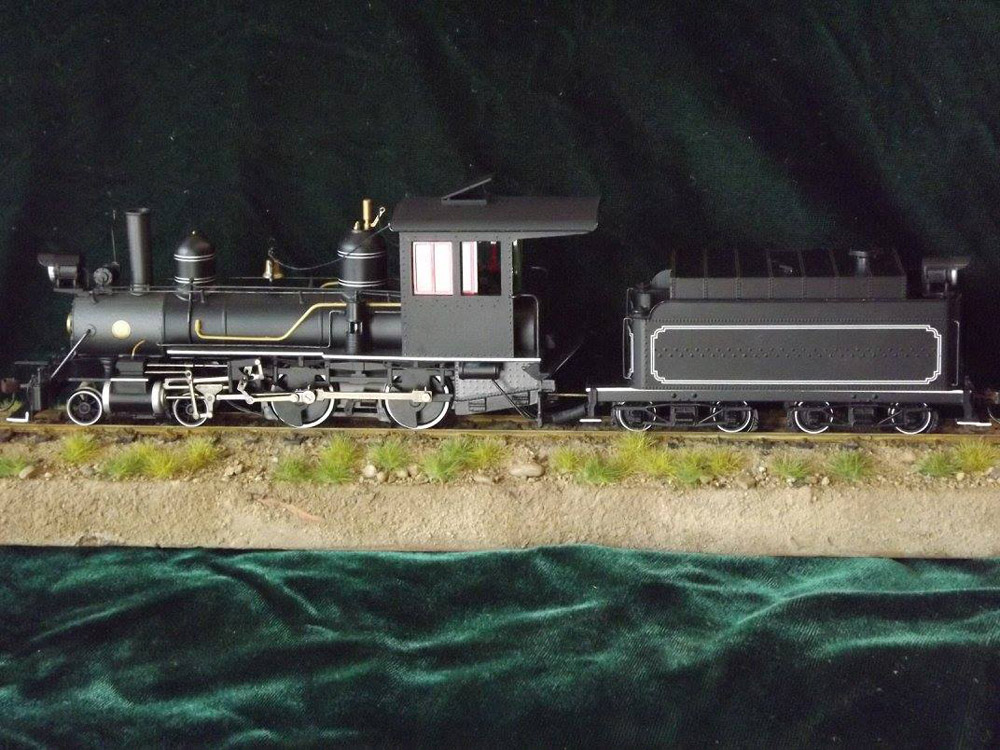
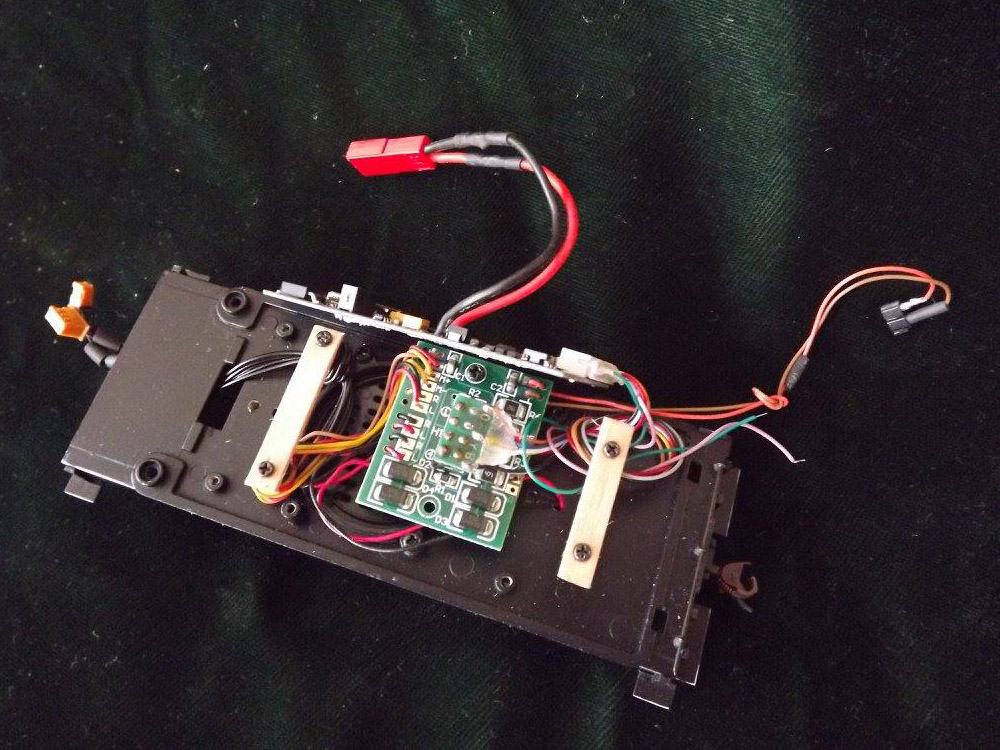
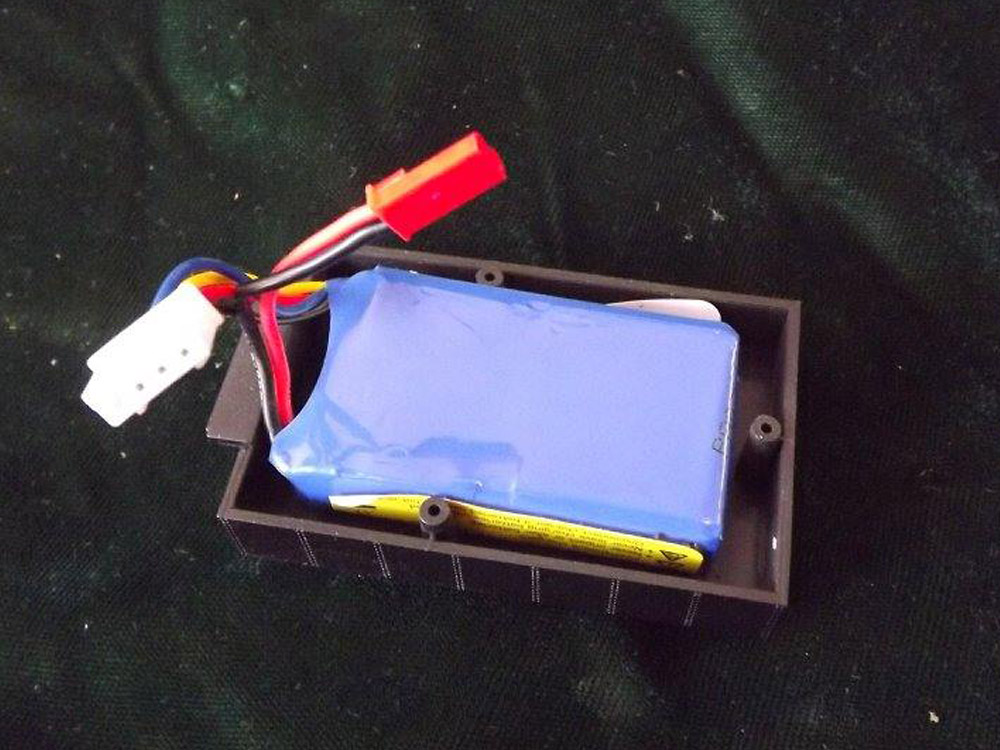
This is Ken’s installation of BlueRail Trains bluetooth controller board in a Bachmann OF 4-4-0. He relocated the Bachmann board to a lower position to clear the BlueRail board. The BlueRail hooks up with a 9 pin to 8 pin connector. The wood cross pieces are where double sided foam tape is attached to install the BlueRail board. Ken decided to make it dead rail also. In a odd bit of luck the 430mAh 11.1V LiPo fits snuggly in the oil bunker. The tender shell needed to be trimmed a bit to fit the battery. Ken said it went together nicely, and runs beautifully. Next step: lettering and mild weathering.

Ken Trossen's Bachmann 4-4-0

Ken Trossen’s Bachmann 4-4-0

Relocated Bachmann board and wood mounting pads. Double sided foam tape used.

Relocated Bachmann board and wood mounting pads. Double sided foam tape used.

430mAh LiPo battery fits in the oil bunker.

430mAh LiPo battery fits in the oil bunker.

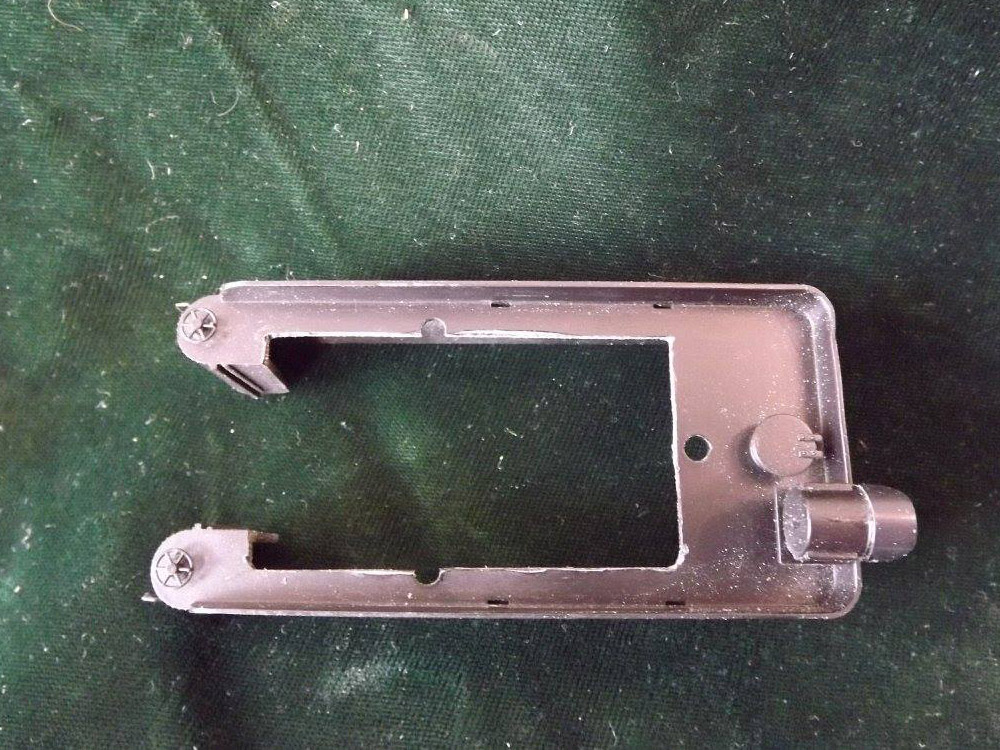
Some trimming was needed to clear battery.

Some trimming was needed to clear battery.

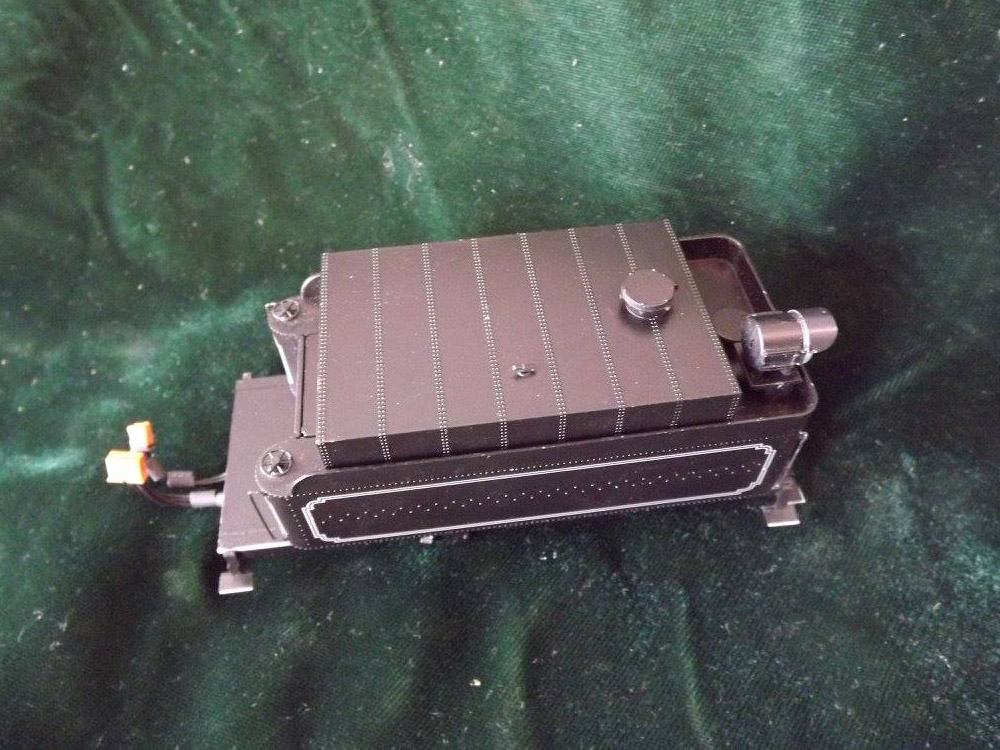
Oil bunker fitted on tender.

Oil bunker fitted on tender.


User Showcase – Darby Marriott

Category : UserShowcase

User_DarbyM_PageHeader

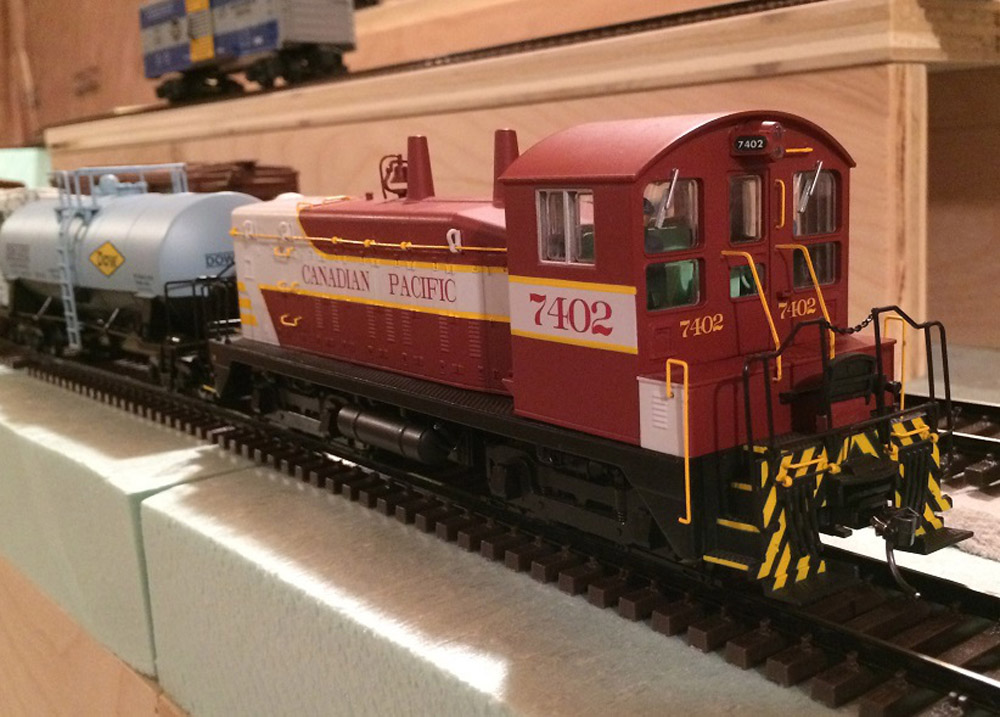
Darby Marriott is a middle aged professional currently residing in Kitchener, Ontario Canada. While not managing the development of state of the art broadcast communications software products, Darby enjoys planning and building his new layout: the Grand River Railroad – Canadian Pacific Waterloo Sub circa mid-1960s in S Scale. Darby is also a volunteer with the St. Jacobs and Aberfoyle Model Railway. With a mindset on utilizing the latest technology in any given discipline, BlueRail was a logical choice for Darby when selecting a control mechanism, given its reliance on smart app software and wireless BlueTooth. The other significant factor was the capability of integrating battery power, thus alleviating the need to wire the new layout while providing a hassle free operatizing experience.

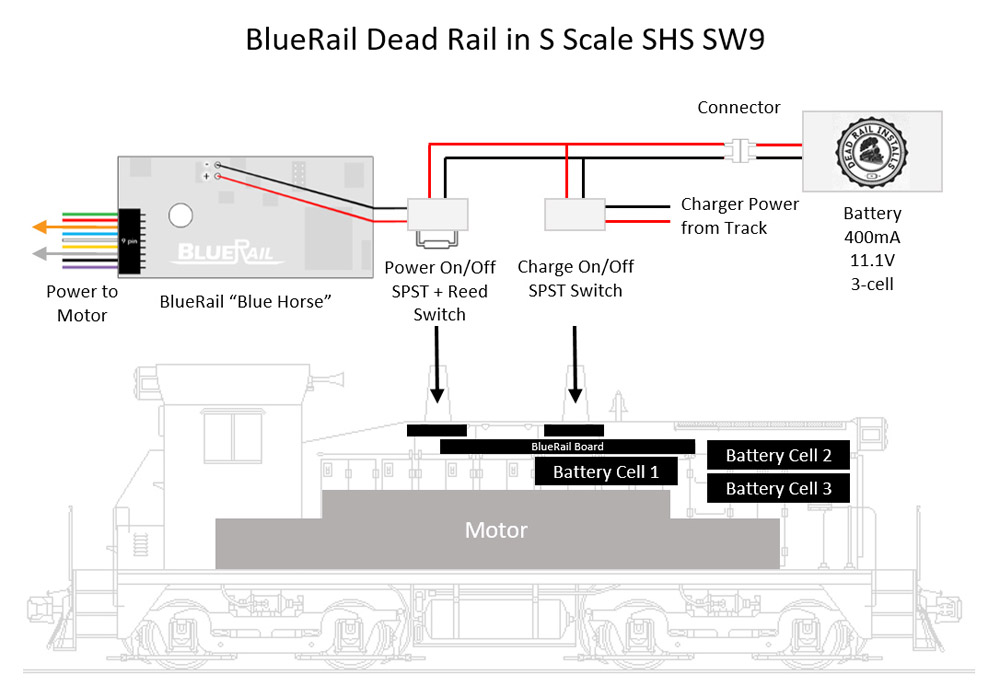
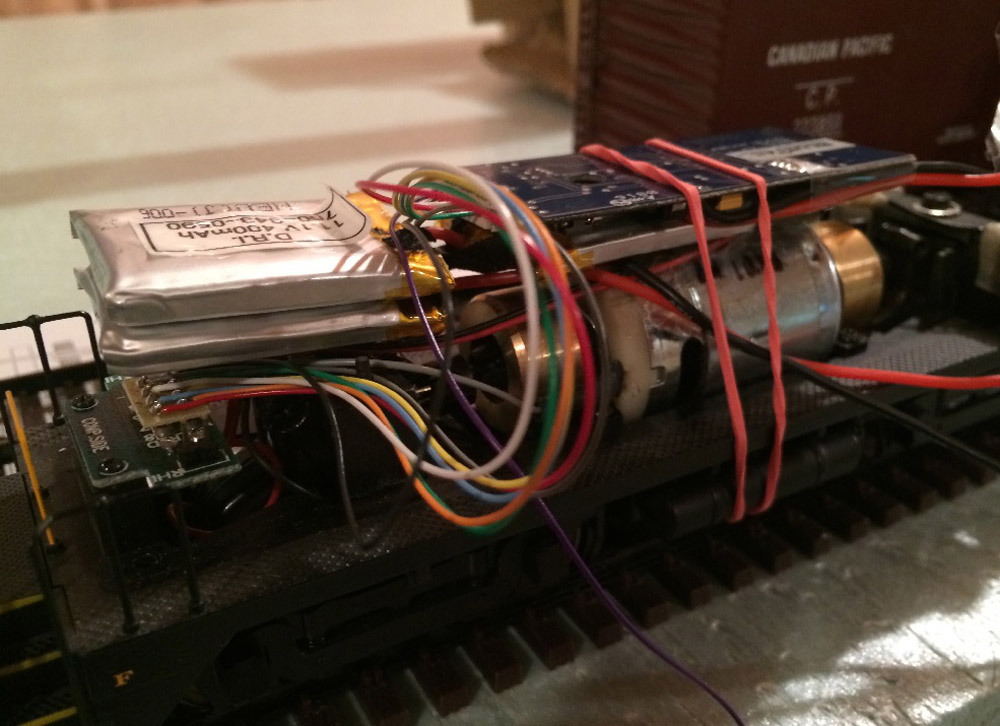
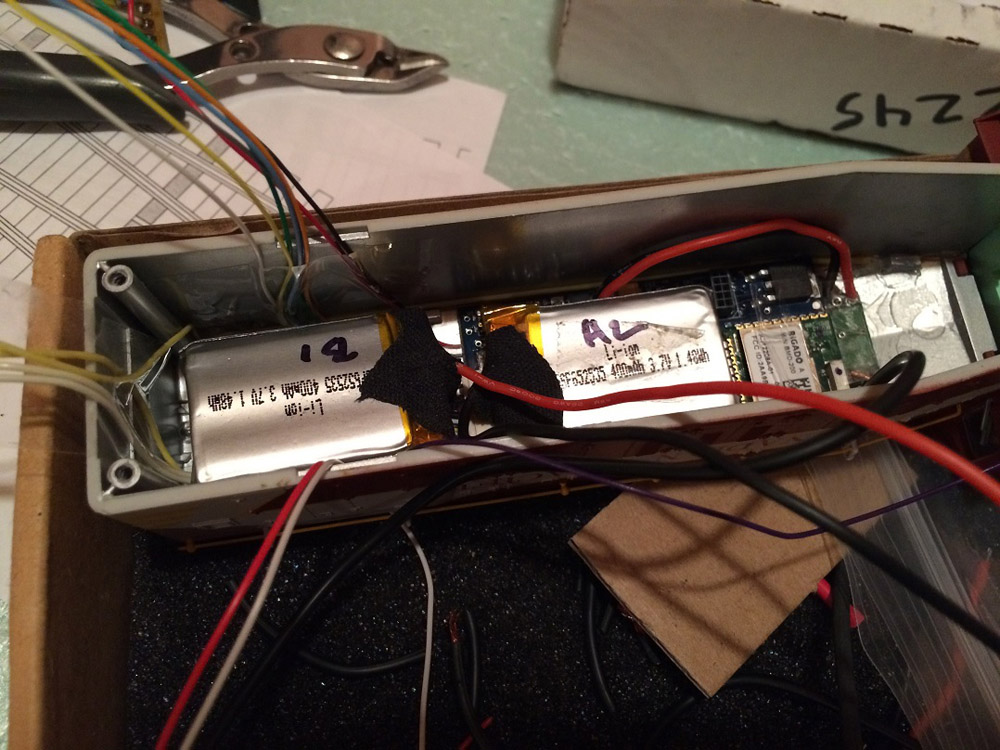
The chosen motive power to match the prototype was an S Helper Service SW9/SW1200. This engine proved to be the ideal candidate to receive Bluetooth control under battery power. The dimensions of the shell allow the BlueRail board to be located perfectly above the motor with just enough clearance in both height and width. Powering the system is a three cell 11.1V, 400mA battery situated in the front of the loco.

A pair of switches allow control of two different circuits. The first circuit is used to provide power from the battery to the BlueRail board. The second circuit routes power from a charging track back to the battery. This allows the loco to be charged while on the rails and not in use. The switch buttons are positioned precisely beneath the two exhaust stacks, allowing for easy access to enable or disable the desired circuit. A reed switch is also in line with the battery and provides a touch free method to power the loco on and off. A hidden connector was made accessible underneath the loco to disconnect or directly charge the battery if necessary.

While retrofitting the loco, LED head lights and a cab light were installed and make use of three out the four available BlueRail accessory controls. The optional 8-pin, 5” wiring harness was used to complete the custom wiring arrangement, as were the optional pre-soldered dead rail lead wires.
When set to Freight mode in the BlueRail iOS app, full throttle was calculated to be 30mph scale speed. While at full throttle, a running time of over 2 hours can be achieved on a full battery charge. Battery charging takes approximately ½ hour.

BlueRail Settings:

  • Top Speed: Fright
  • 1st Speed Step: 2
  • Start Voltage: 1.2v
  • Update Period: 10ms
Wiring and component drawing

Wiring and component drawing

Wiring and testing the switches

Wiring and testing the switches

Test fitting the BlueRail board and batteries above motor and test running

Test fitting the BlueRail board and batteries above motor and test running

Test fitting the BlueRail board and batteries in shell

Test fitting the BlueRail board and batteries in shell

The finished install running

The finished install running


User Showcase – Kevin Stevens

Category : UserShowcase

User_KevinS_PageHeader

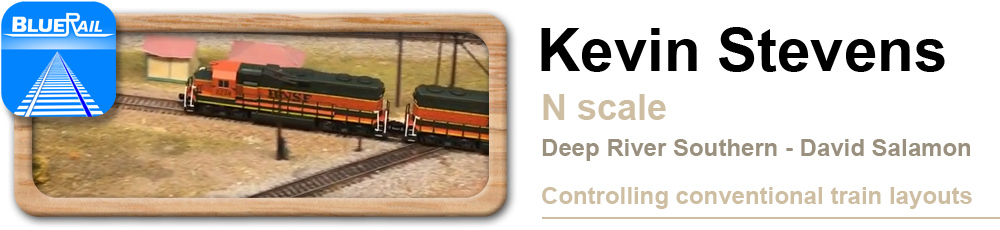
Kevin Stevens of Oklahoma uses a BlueRail board to power a standard DC train layout and remote operate trains with an iPad. The idea is to use the to leads from the board that would typically run to the motor (orange and grey wires in diagram below) and use those to power your track on a conventional DC layout. This also leaves 4 accessory leads available for light or accessories (which can also be controlled from your smart device). Kevin houses the board in a protective box and hooked it up to a 19 volt power supply. He brought his control box to the N scale layout of Dave Salamon in Owasso, OK to try it out. Dave’s layout is called the “Deep River Southern” and is a DC powered N scale walk around layout with an Armstrong type elevator. You can read more about the “Deep River Southern” here.

KS_Diagram


User Showcase – John L

Category : UserShowcase

User_JohnL_PageHeader

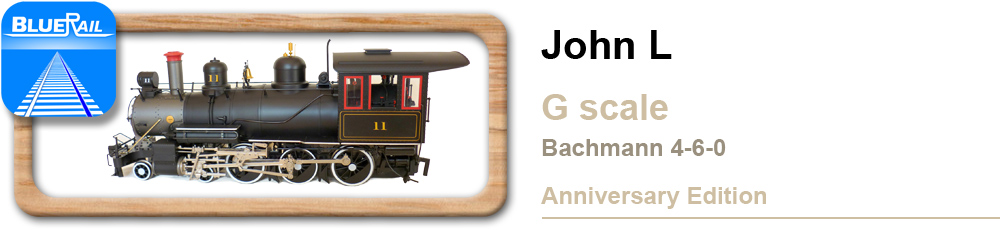
John L has an indoor G layout that travels between rooms in his house. The track is actually between floors, so in some rooms it is near the ceiling while in other rooms it is near the floor. Desiring something he could operate with his iPad, a BlueRail board was installed in a Bachmann 4-6-0 Anniversary edition (video below). Although this large loco has higher amperage than smaller scale locos, the slipping stall current is only 1.5 amps. As long as you aren’t pulling long loads up steep inclines (and don’t install special traction tires) these locos operate nicely.