Author Archives: BlueRailTrains

Controlling Kadee® Servo Controllers with a BlueRail board

Category : Articles , Videos


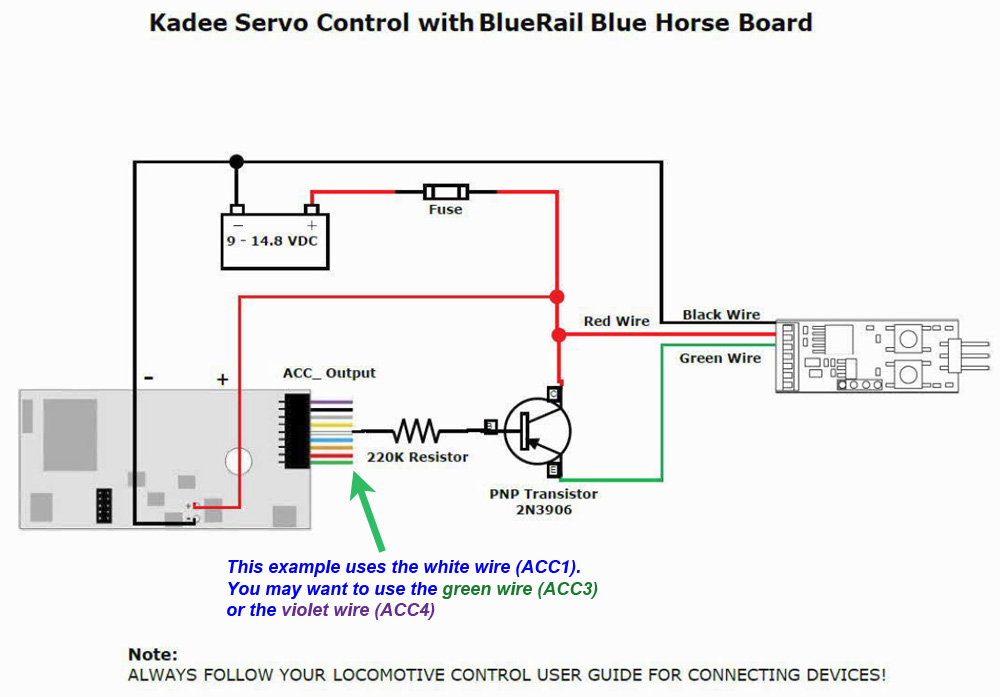
This video demonstrates how to control a Kadee® Servo Controller with a BlueRail board to operate a large scale Kadee coupler with battery power. The BlueRail board can control up to 4 Kadee® Servo Controllers. Kadee® Servo Controllers can control Kadee® RC Remote Couplers (factory programmed), turnouts, crossing gates, semaphores, windmills, water wheels, gondolas, trams, roundabouts, cranes, & drawbridges. Below is a diagram depicting how to make the connection. Click image to download PDF.

Controlling Kadee® Servo Controllers with a BlueRail board
http://bluerailtrains.com/docs/Kadee_Servo_Control_with_BlueRail_Board.pdf


Soldering Battery Leads to a BlueRail board

Category : Videos


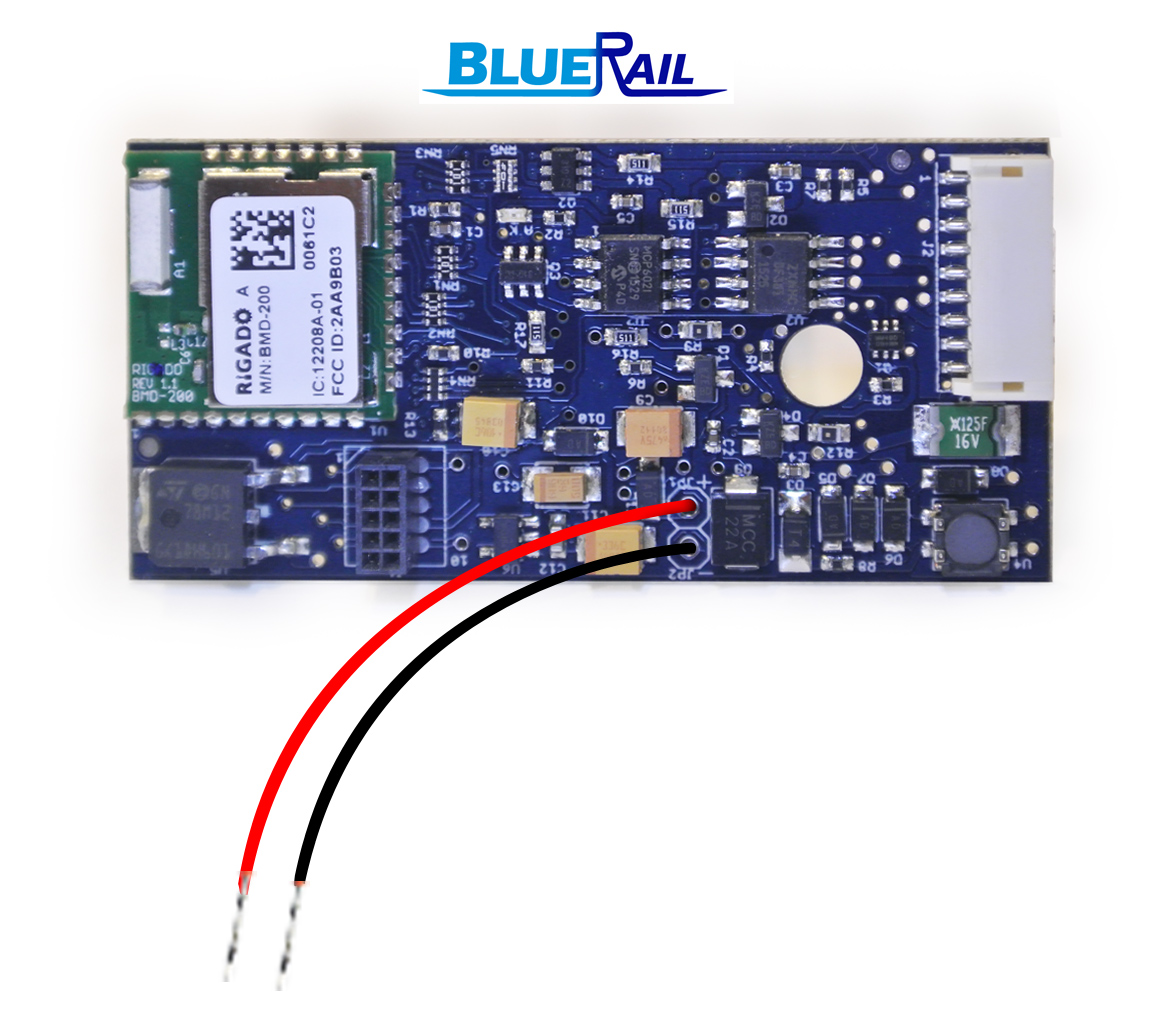
Video tutorial on how to solder battery leads to a BlueRail board. BlueRail does not recommend soldering your own loads unless you are an expert solderer (it is easy to damage the board if you make a mistake – boards are available with wires pre-soldered in place). This video demonstrates the best way to solder the wires.


BlueRail board installation guide

Category : Articles

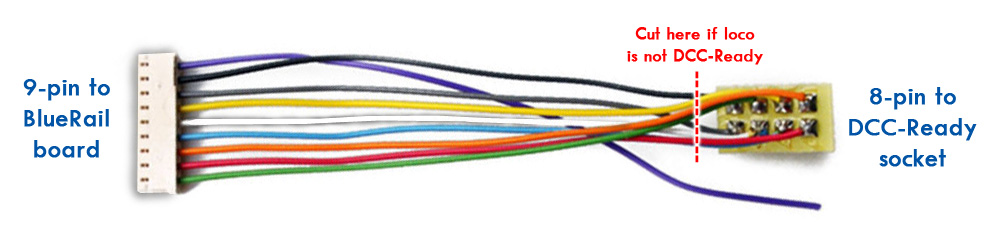
The BlueRail trains board is very easy to install. The board accepts a standard 9-pin JST wiring harness, which contains 9 wires color coded to the NMRA standard:

RED Track Power +
BLACK Track Power –
ORANGE Motor +
GREY Motor –
BLUE Common 12v +
WHITE Headlight –
YELLOW RearHeadlight –
GREEN Light3 –
PURPLE Light4 –

If your locomotive is DCC-Ready (and has an 8-pin socket on it), simply plug the 8-pin side of the wiring harness into your train. Orient the 8-pin connector so the RED wire is near the number 8 (or triangle) marked on the circuit board. If you have the 8-pin connector in the wrong orientation, the train will run in the wrong direction.

This board anticipates low voltage LED lights (20 mA) on your locomotive and does not require resistors.

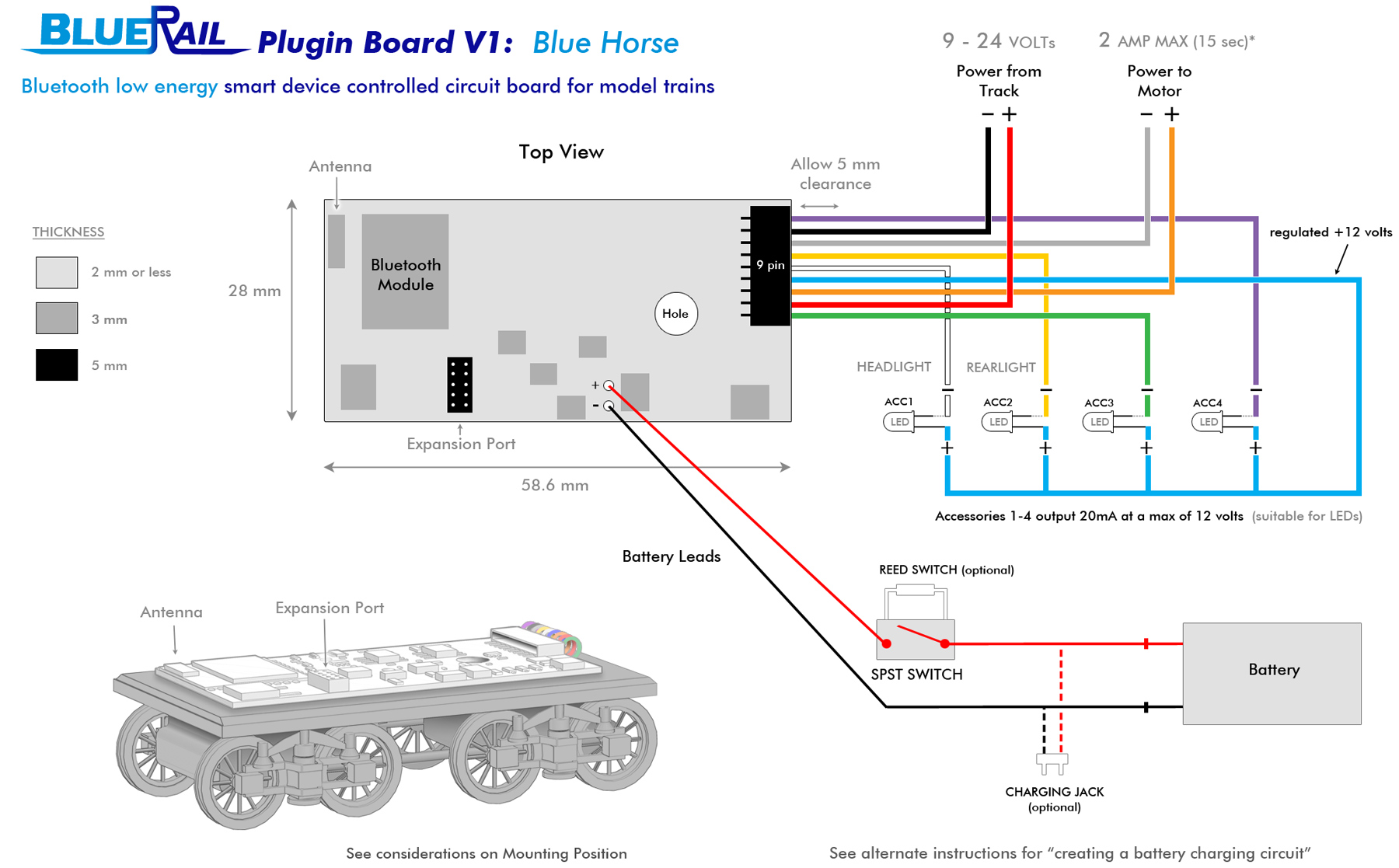
If your locomotive is not DCC-Ready, snip off the 8-pin connector on the harness and connect the colored wires as indicated in the table above and the diagram below. If you are utilizing a battery, it may be connected as indicated in the diagram.


Batteries may alternately be connected to the Red/Black wires on the 9 pin harness (if you are sure you will not be using track power as well). THIS ARTICLE shows alternate ways you can wire up a battery.

If you are wiring a Bachmann Thomas train, the motor leads are usually Yellow and Brown. If you are wiring a Bachmann locomotime, HERE IS A TABLE with the letter codes commonly stamped on the circuit boards.

For more information on the board, please refer to the Our First Board article and the UserGuide, as well as the Articles and Videos links above.


Does your Smart Device support Bluetooth 4?

Category : Articles

This product uses Bluetooth Low Energy. Your smart device must support Bluetooth 4.0 (or newer).

Apple Logo

List of iOS devices that support Bluetooth 4

iPhone iPad iPod
iPhone 4s
iPhone 5
iPhone 5c
iPhone 5s
iPhone 6
iPhone 6 Plus
iPhone 6s
iPhone 6s Plus
iPhone 7
iPhone 7 Plus
or newer
iPad, 3rd generation
iPad, 4th generation
iPad (2017)
iPad mini
iPad mini 2
iPad mini 3
iPad mini 4
iPad Air
iPad Air 2
iPad Pro
or newer
iPod Touch (5th generation)
iPod Touch (6th generation)
or newer

Android ogo
Android devices must have Android version 4.3 or newer to support Bluetooth Low Energy.

It is important that your Android is updated to the latest Android software to operate BlueRail.

The general method for updating your Android software is:

Settings >> General (scroll down) >> About Device >> Software Update

Most devices provide a back-up method (which is recommended prior to performing updates).

CLICK HERE for more information about updating your specific device.

The vast majority of Android devices that meet the minimum requirements and can download the free BlueRail app will support all aspects. However, due to the huge number of different Android models (>5000 models) and manufacturing standards, issues may be encountered on some devices.

Android 6 (Marshmallow) is compatible with BlueRail. However, due to changes in Bluetooth permissions with Android 6, the app may not be able to detect the BlueRail trains properly. To resolve this issue, go to Settings in the OS–> Location and turn on location services. Your BlueRail trains will now be detected properly in the app. This may require a wi-fi or cellular connection on certain devices.

If your Android is updated to the latest version available (Android 4.3 or newer) and you are still having an issue connecting to trains, please read this article on Bluetooth Connection Issues.


BlueRail for O scalers

Category : Articles

O Scale BlueRail

This page is an old post from 2017 regarding an old BlueRail board that is no longer for sale

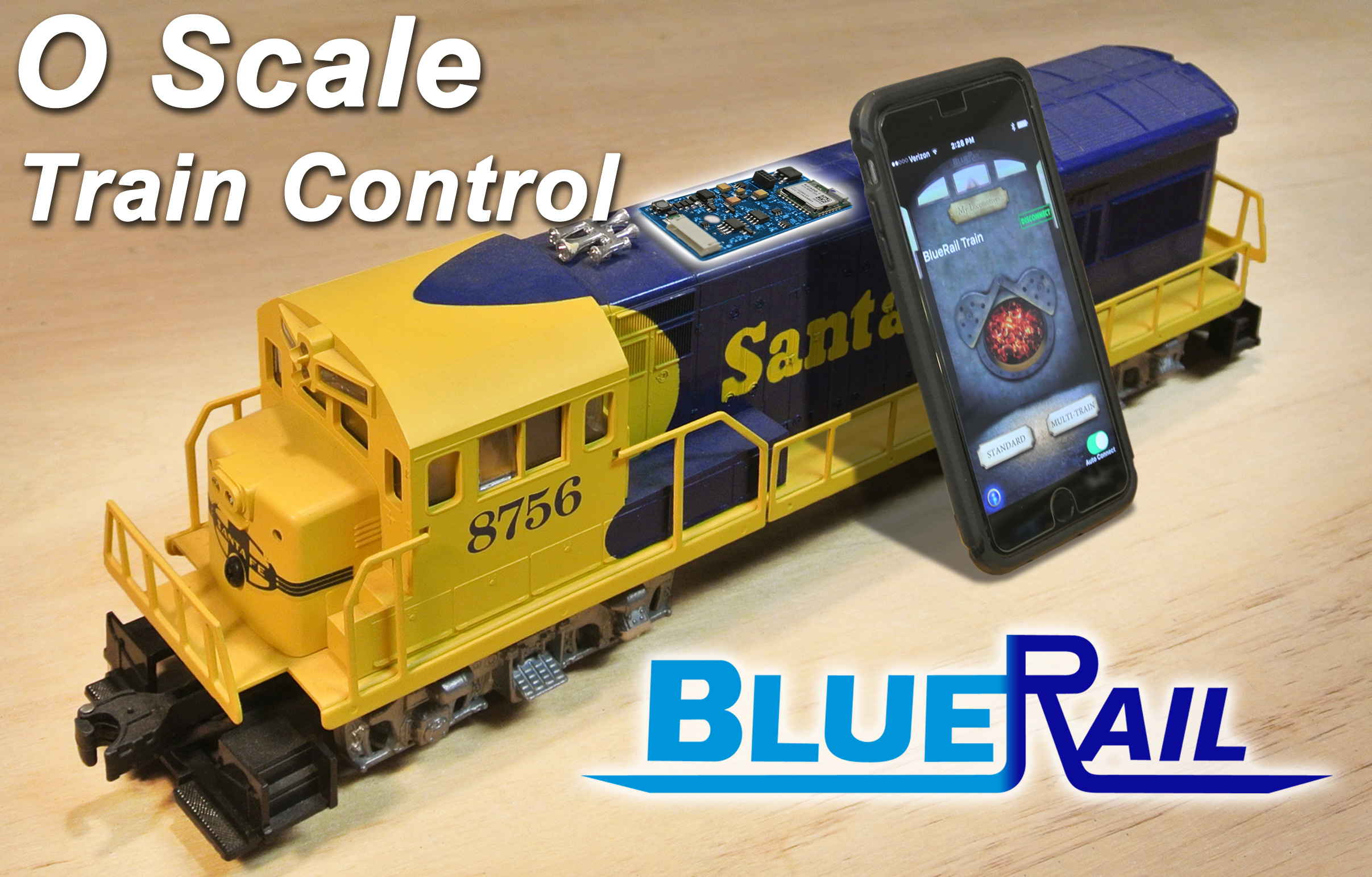
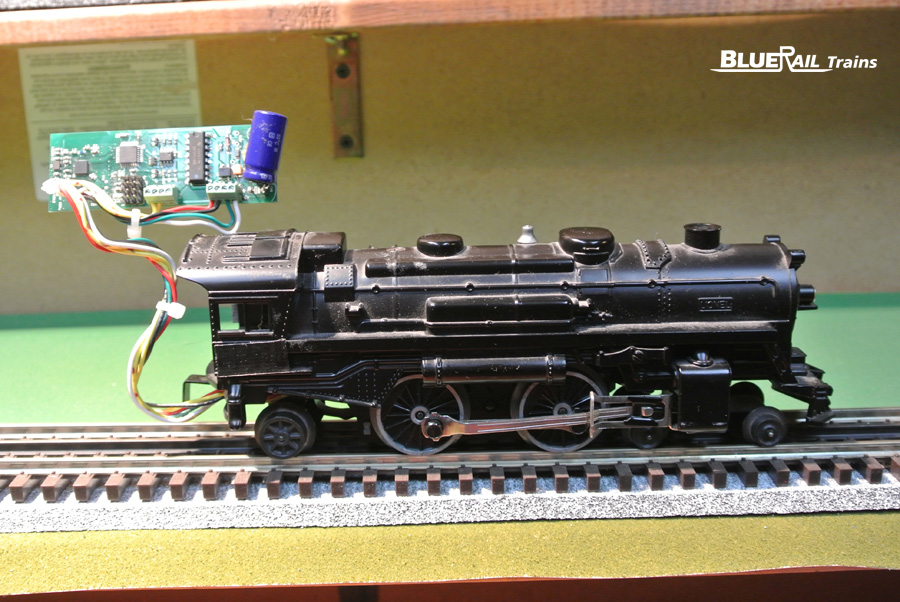
BlueRail smartphone control for trains is a perfect fit for O scale. The BlueRail board is perfectly sized to fit most O scale locomotives, and with 2 amps of current they are a perfect match for many locos. If your O loco has DC can motors (isolated) and uses 2 AMPS or less then your loco is a good candidate for a BlueRail board.

The BlueRail board runs on DC or DCC power (from the track or battery). If you require AC track power, an AC-DC converter can easily be built from parts as described in this article.

The board controls motor and up to 4 LED lights from over 100 ft. Considering there is no system to buy (other than owning a smartphone or tablet) and that it can be run on any powered track (or non-powered) a BlueRail board is one of the most affordable train control solutions available. Discounts are available on volume orders (2,5,10). BlueRail is extremely popular for use with onboard battery.

The BlueRail board is very easy to install using a standard 9-pin JST with standard NMRA colored wires (sold separately). Here is a wiring diagram.


Sounds (which play inside the smart device) can also be played through a mini bluetooth speaker on the loco, making for very affordable onboard sound (as described in this article). This first BlueRail board does not trigger DCC sound decoders.

BlueRail's first Bluetooth board (2012) powering an O gauge Lionel.

BlueRail’s first Bluetooth board (2012) powering an O gauge Lionel.

Perhaps the biggest appeal in using BlueRail is a the well developed software control app (free in iOS and Android). This system is compatible with Bachmann E-Z App® and enjoys the benefit of thousands of users and hundreds of hours of software development, setting it apart from all other available wireless train control systems. The app updates as new features are added. Wireless firmware updates easily and safely update the board in the loco as needed.


O Scale BlueRail Check List

checkmarkDoes loco contain DC can motor?

checkmarkIs motor isolated from the frame?

checkmarkDoes loco draw 2 amps or less?

checkmarkAre you good with DC, DCC or battery power?
(if AC required, consider adding an AC-DC converter)

checkmarkDoes loco contain LED lights?
(if not, consider switching bulbs to LEDs)

checkmarkDoes your smart device (phone/table) support Bluetooth 4?
(Please read this Article)


Most frequently asked O Scale question:

Q: “Will it work with my American Flyer/Lionel?”

A: There are many variations of American Flyer/Lionel locos. If it passes the 5 check points above, you should be good.


Retailer User Guide

Category : Uncategorized

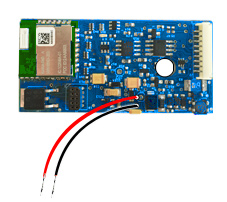
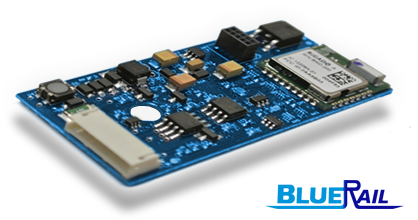
BlueRailBoard1As a new or existing retailer for BlueRail Trains, here is some information you might want to know about the first BlueRail board.

This board utilizes the same technology used in the Bachmann E-Z App trains (which Bachmann licenses from BlueRail). Because E-Z App enjoys a large user base, the free control app (iOS and Android) and firmware have received well over one thousand hours of software development, making it the most developed and tested train control app on the market. There is no ramp up time with this product – it is simple to install and very intuitive to use (without instruction). The board can be powered by DC, DCC, or battery power, and is particularly popular with battery-operated or Dead Rail users. Unlike other train control systems, BlueRail has no “system” to buy, so there is little investment required to “try it out” (except getting a board and owning an iOS or Android phone/tablet).

Your smart device must support Bluetooth 4 (see this article).

The first BlueRail board is 58.6mm x 28mm (2 3/8″ x 1 1/8″). Here is a printable PDF that can be printed, cut-out, and used to test to see if it will fit in a particular loco or space.

This board is frequently mounted in HO steam tenders, as well as any On30, S, and lower amperage (2 AMP or less) O and G scale trains. The board can also be used to provide power to a DC train layout (example) allowing the app to control 1 conventional DC train and up to 4 LED layout lights.

Here is an article that summarizes a checklist to determine if this board is a good choice for a particular loco.
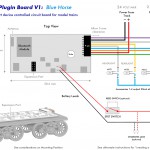
BlueHorse datasheet - largeBecause the board is so easy to install, as a retailer offering installations you can provide much “perceived value” with very little installation time. The board accepts a standard 9-pin JST harness (sold separately). For DCC-Ready locos this is plug and play, or you may connect the colored wires according to the NMRA color convention (diagram).

The BlueRail website is well documented with articles and videos, alleviating retailers from dreaded tech support.
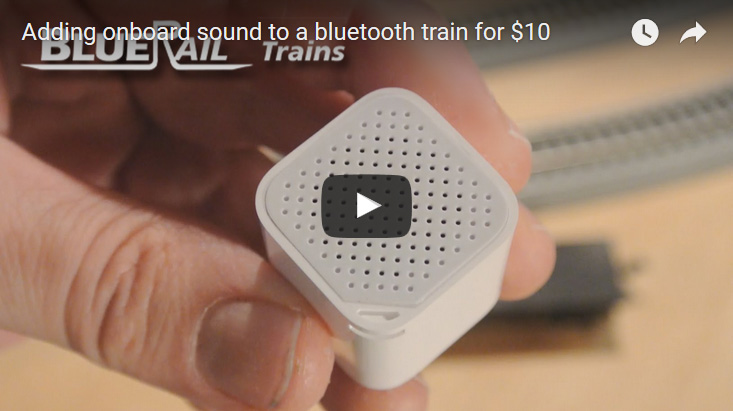
minibluetoothspeakerThe board does not contain onboard sounds and cannot presently trigger sound decoders. Locomotive sounds are within the app (in the smart device). Many people position a small rechargeable mini-bluetooth speaker within the loco for onboard sound (see video). You may also use a bluetooth speaker on the layout, headphones, or the speakers of the smart device or tablet.

BlueRail is compatible with Bachmann E-Z App trains, and you may run as many locos as you like simultaneously. The board works well on DCC layouts (for power) and can be run alongside other DCC locos. The iOS version of the control app contains added features like consisting, speed-matching, and chuff-rate calibration. Ditch lights is supported in both iOS and Android. The board can be operated with either the BlueRail app or the Bachmann E-Z App (both free). App Features table below.

Compare BlueRail app to E-Z App.

BlueRail App E-Z App
Control multiple trains
from 150 feet
iOS & Android iOS & Android
Consisting iOS iOS
Speed Matching iOS iOS
Chuff Rate Calibration iOS
Ditch Lights iOS & Android
Christmas Train (synched music) iOS & Android
Automatic reconnect option
(good for deep tunnels)
iOS iOS

BlueRail offers the board in 3 variations:

TrackPower Board
BlueRailBoard1
board only
BatteryPower Board
Blue Horse - with battery leads
board with pre-soldered battery wires
Dead Rail Kit
DeadRail_Kit_Thumb
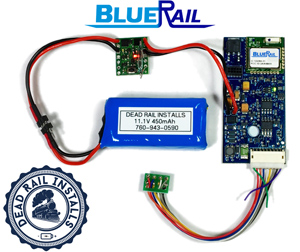
board w/ 9-pin harness, battery, magnetic reed switch (pre-assembled – plug-and-play)
(includes charging cable and extra shrink wrap)

Every board is hand tested (1 year guarantee). We have a 99% satisfaction rate from all of our existing BlueRail users and stand behind our product.

Please email us for pricing information Retailers [at] BlueRailTrains [dot] com or more info.

Additional resources:

Is the BlueRail board right for you?
Running BlueRail on 3-Rail AC Track Power
BlueRail Userguide
Considerations for using BlueRail board in larger gauges
Battery Operation Connection Diagrams
Dead Rail Kit Video and Details

Is the BlueRail board right for you?

Category : Articles

Here is a handy checklist to go through to make sure the BlueRail board is sufficent for your loco.


checkmarkSIZE (will it fit)?
The BlueRail board is 58.6mm x 28mm. Use this printable PDF to print out a copy of the board and verify it will fit:

checkmarkCURRENT DRAW
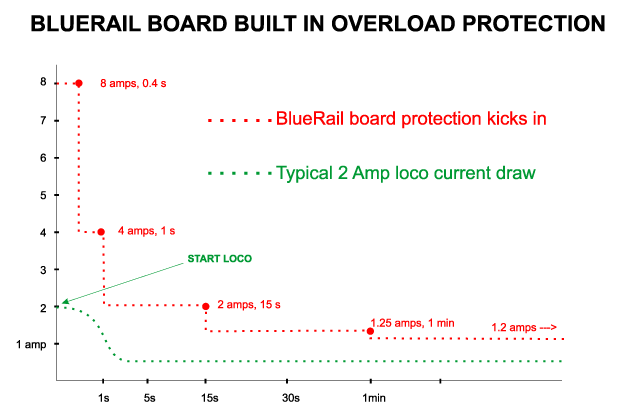
If your loco has 2 AMPs or less maximum current draw it is probably a good candidate for this board (1.2 AMPs continuous). Related references:
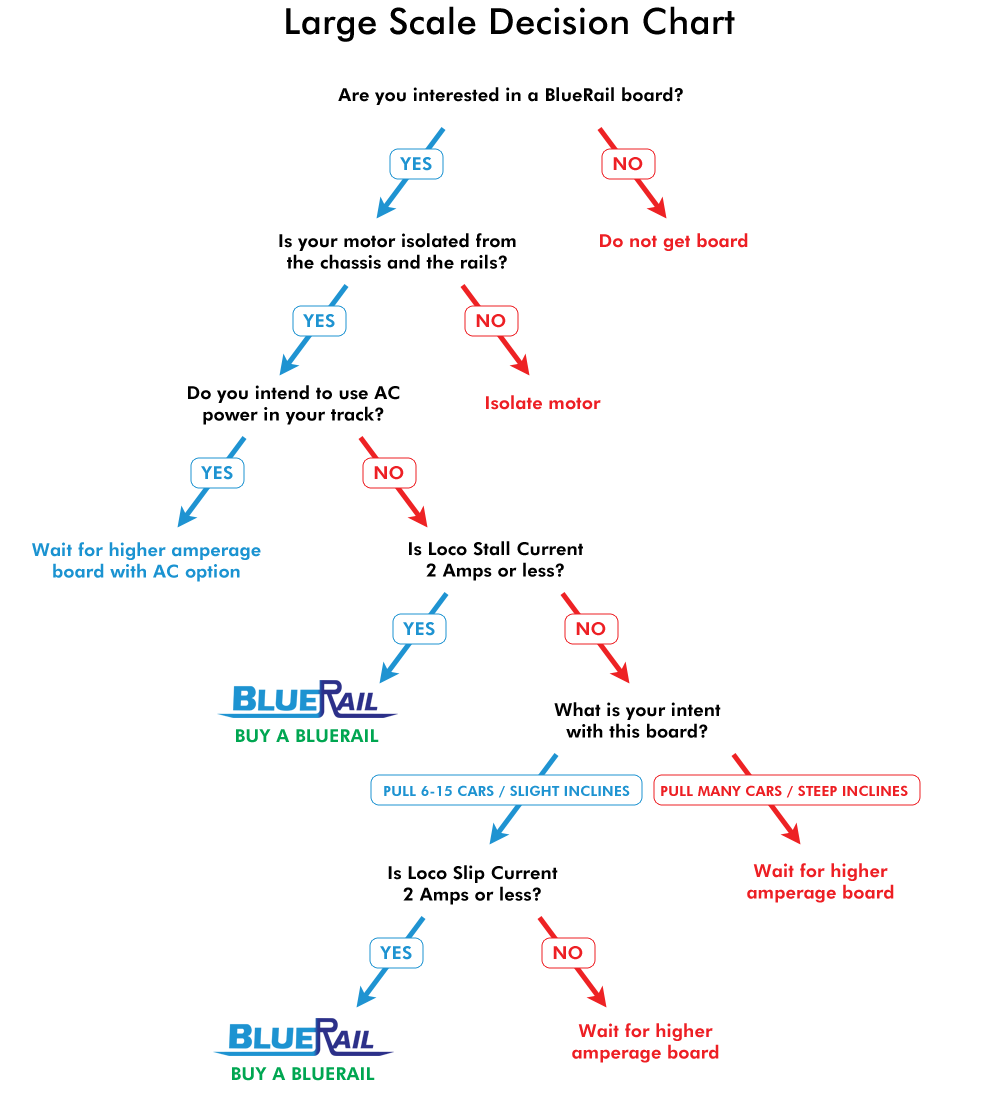
* Large Scale Decision Chart
* Overload Protection diagram
* Article about using board in larger gauges
* Article about measuring max current draw

checkmarkMOTOR ISOLATED
If you are not sure if your motor is electrically isolated from the chassis, please refer to this article

checkmarkLED LIGHTING
The BlueRail board supports LED lights. If your loco has full voltage incandescent lights, consider switching them to LED. When wiring LED lights be aware that the polarity of the wire leads must be correct.

checkmarkDC, DCC OR BATTERY POWER
The BlueRail board will not work with AC power. If you wish to use the board on an AC powered track, consider adding an AC-DC converter as described in this article.

checkmark9 PIN JST HARNESS
The BlueRail board requires a standard 9-pin JST harness. If you do not have one, we have them available in our online store.

checkmarkSMART DEVICE MUST SUPPORT BLUETOOTH 4
Does your smart device (phone/table) support Bluetooth 4? (Please read this Article)

Here is a Datasheet on the BlueRail board with diagrams how to wire it up.

Here is an article on Optional ways to wire a battery to a BlueRail board


S Scale is the Perfect Scale for BlueRail

Category : Articles

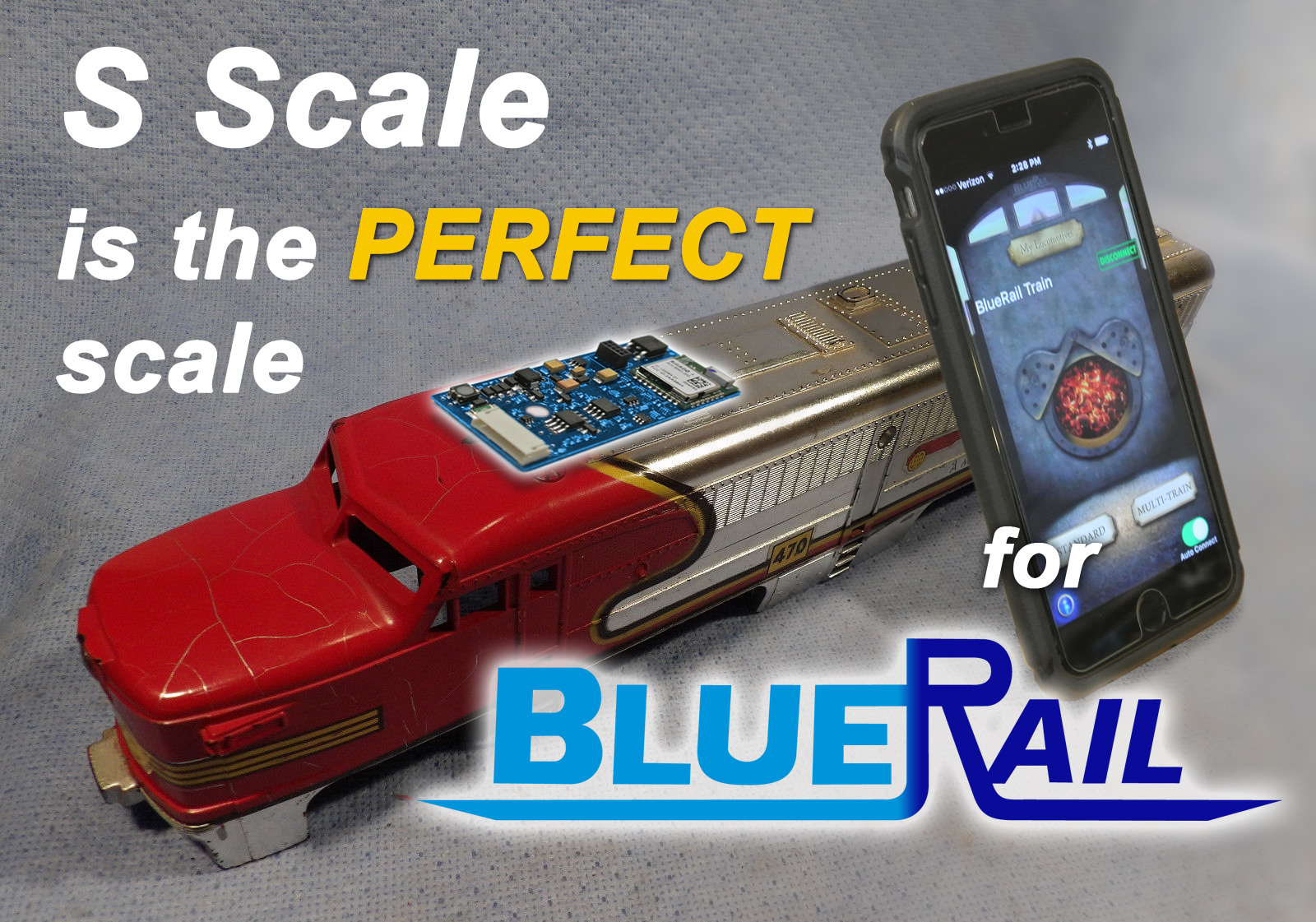
SScaleBlueRailYou may have heard that “S” is the perfect scale – it is also the perfect scale for BlueRail. The BlueRail board is perfectly sized to fit most S scale locomotives, and with 2 amps of current they are a perfect match. If your S loco has DC can motors (isolated) then your loco is a good candidate for a BlueRail board.

The BlueRail board runs on DC or DCC power (from the track or battery). If you require AC track power, an AC-DC converter can easily be built from parts as described in this article.

The board controls motor and up to 4 LED lights from over 100 ft.  Considering there is no system to buy (other than owning a smartphone or tablet) a BlueRail board is one of the most affordable train control solutions available. Discounts are available on volume orders (2,5,10). BlueRail is extremely popular for use with onboard battery.

The BlueRail board is very easy to install using a standard 9-pin JST with standard NMRA colored wires (sold separately). Here is a wiring diagram.

Sounds (which play inside the smart device) can also be played through a mini bluetooth speaker on the loco, making for very affordable onboard sound (as described in this article).

Perhaps the biggest appeal in using BlueRail is a the well developed software control app (free in iOS and Android). This system is compatible with Bachmann E-Z App® and enjoys the benefit of thousands of users and hundreds of hours of software development, setting it apart from all other available wireless train control systems.

If you are an S scale hobbyist, you should consider BlueRail as your train control system. Please purchase boards directly from our online store. If you are a club interested in group rates or have any questions please email us info [at] bluerailtrains [dot] com.


S Scale BlueRail Check List

checkmarkDoes loco contain DC can motor?

checkmarkIs motor isolated from the frame?

checkmarkDoes loco draw 2 amps or less?

checkmarkAre you good with DC, DCC or battery power?
(if AC required, consider adding an AC-DC converter)

checkmarkDoes loco contain LED lights?
(if not, consider switching bulbs to LEDs)

checkmarkDoes your smart device (phone/table) support Bluetooth 4?
(Please read this Article)


It’s true that S Scale is the perfect scale for BlueRail.

Most frequently asked S Scale question:

Q: “Will it work with my American Flyer?”

A: There are many variations of American Flyer locos. If it passes the 5 check points above, you should be good.


Consisting and Speed Matching with BlueRail

Category : Videos


This video demonstrates Speed Matching and Consisting currently available in iOS (coming to Android). Now you can easily and accurately speed match your locos as you run them on the tracks. Works with all BlueRail and E-Z App trains.


Lower Prices and Volume Discounts for BlueRail boards

Category : Articles

To celebrate our release of consisting and speed-matching, BlueRail has lowered our pricing to make it easier to buy that second board. We have added a customer loyalty program to our online store which deducts $5 off all orders from existing customers. Details on customer loyalty program.

We have also reduced our prices and added volume discounts to offer more savings:

1 TrackPower board: $70@
2-4 TrackPower boards: $65@
5-9 TrackPower boards: $60@
10+ TrackPower boards: $55@
BatteryPower boards (pre soldered battery leads) add $10
DeadRail Kit: $157@

MRR club members contact us for group discounts. Retailer pricing available.